
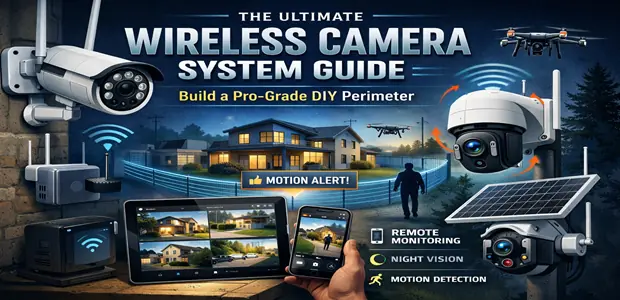
Wireless camera systems have matured dramatically. What used to mean grainy footage, constant connectivity drops, and eye-watering cloud subscription fees now means sharp 2K–4K video, local AI processing, and storage you actually own. But the market is still littered with systems that lock you into monthly payments the moment you want basic features like motion history or person detection.
This guide cuts through the noise. We’ve evaluated the hardware, run the numbers on total cost of ownership, and identified which systems genuinely deliver—and which ones are cleverly priced traps. Whether you’re securing a single entry point or building a full perimeter around a larger property, the right setup is simpler and more affordable than most manufacturers want you to believe.
📩 Skip the monthly monitoring trap. The DEALSisHERE Insider Network sends verified hardware discount alerts, technical configuration walkthroughs, and perimeter security setups straight to your inbox—at no cost, no subscription required. Join the Insider Network →
Quick Recommendations
| Need | Pick |
|---|---|
| Best overall value + no subscriptions | Eufy Security S330 + HomeBase 3 |
| Solar-powered, no wiring | Tapo C425 (Battery/Solar) |
| Front door with HDR visibility | Ring Battery Doorbell Pro |
| Smart lock integration | August Wi-Fi Smart Lock |
| Budget starter kit | Tapo C425 2-pack |
Comparison Matrix
| Product | Best For | Key Strength | Potential Drawback | Verdict |
|---|---|---|---|---|
| Eufy S330 + HomeBase 3 | Whole-home perimeter, zero fees | Local AES-128 encrypted storage, up to 16TB NAS | Higher upfront cost | ⭐⭐⭐⭐⭐ Best-in-class |
| Tapo C425 (Battery/Solar) | Flexible placement, off-grid spots | Solar trickle charging, 2K AI detection, no fees | App less polished than Eufy | ⭐⭐⭐⭐ Excellent value |
| Ring Battery Doorbell Pro | Front door identity verification | HDR video, strong ecosystem | Requires Ring Protect subscription for history | ⭐⭐⭐½ Good but fees apply |
| August Wi-Fi Smart Lock | Access integration with cameras | Auto-unlock via verified access rules | Not a camera—complements, doesn’t replace | ⭐⭐⭐⭐ Strong pairing device |
Understanding the Infrastructure: Three Tiers That Matter
Before buying a single camera, it helps to think about a wireless security system in three layers. Skipping any one of them is how people end up with spotty coverage or footage they can’t access when they need it most.
Tier 1: Signal Reliability
Wireless cameras fail because of signal degradation—not hardware defects. A single router serving your entire property will create dead zones, and a camera that loses connection during a security event is effectively useless.
The fix is a tri-band Wi-Fi mesh system with a dedicated backhaul channel. This keeps your camera traffic separated from your phones, TVs, and streaming devices. Google Nest WiFi Pro, Eero Pro 6E, and similar systems handle this well. If your property is under 2,000 sq ft with solid router placement, you may not need mesh at all—but test your signal at each camera location before committing to a mounting spot.
Tier 2: On-Device AI Processing
“AI detection” is a marketing term that means very different things depending on where the processing happens.
Cloud-based AI: Your camera sends raw footage to a server, the server decides if it’s a person or a shadow, and sends you a notification. This introduces latency, requires a subscription to access, and means your alerts depend on someone else’s infrastructure staying online.
Edge AI (on-device processing): The camera’s own chip classifies the event—person, vehicle, pet—before sending any data. Alerts are faster, there’s no cloud dependency, and you don’t pay monthly for the privilege of knowing a human walked past your door.
Cameras in 2026 with credible edge AI include the Eufy S330 and Tapo C425. Verify this before buying any camera not on this list: look for “on-device” or “edge” AI processing specifically, not just “AI detection.”
Tier 3: Local Storage
This is where most systems try to extract recurring revenue. Cloud-only storage means your footage lives on someone else’s server, behind a paywall, and subject to their privacy policy.
Your alternatives:
- MicroSD card storage (built into the camera): Simple, self-contained. Capacity is limited (typically 128–256GB), and cards wear out faster with continuous write cycles. Fine for smaller deployments.
- NAS (Network-Attached Storage): A local drive connected to your network that cameras write to directly. The Eufy HomeBase 3 is essentially a dedicated NAS for your cameras, supporting up to 16TB.
- NVR (Network Video Recorder): A dedicated device that records from multiple cameras. Common in professional setups; requires more configuration.
For most homeowners, the HomeBase 3 approach (dedicated local hub) or microSD are the practical choices.
Individual Product Reviews
1. Eufy Security S330 eufyCam 3C + HomeBase 3
Overview
The S330 system is the closest thing the consumer market has to a professionally self-hosted setup. The HomeBase 3 hub stores all footage locally with AES-128 encryption. No cloud account required for core functionality. The cameras use edge AI to classify motion events on-device, and the HomeBase supports up to 16 cameras and 16TB of local storage via an external drive.
Pros
- No mandatory subscription—ever. Full feature set at purchase price.
- HomeBase 3 provides encrypted local storage expandable to 16TB.
- On-device AI distinguishes people, vehicles, and pets accurately.
- Solid 4K resolution on flagship models; crisp identification at reasonable distances.
- Dual-band connection reduces dropout risk.
Cons
- Higher upfront cost than subscription-based competitors.
- App interface, while functional, trails Ring and Nest in polish.
- HomeBase is a required dependency; if it goes offline, cameras lose some functionality.
- Not compatible with HomeKit (uses Apple HomeKit Secure Video only on older models).
Best For: Homeowners who want full control of their footage with zero ongoing fees and don’t mind investing more upfront.
Why We Recommend It: The five-year total cost of ownership is significantly lower than any subscription-based system. A Ring system with Ring Protect Plus at roughly $100/year costs $500 over five years on top of hardware. The Eufy costs nothing after purchase. That math is hard to ignore.
👉 Explore Audited Wireless Camera Hardware on Amazon →
2. Tapo C425 2K Wireless Security Camera (Battery/Solar)
Overview
The Tapo C425 is TP-Link’s strongest entry in the no-subscription wireless camera category. It runs on a rechargeable battery with optional solar panel input—meaning genuinely wire-free placement anywhere with sun exposure. The 2K resolution is sharp enough for clear facial identification, and the magnetic mount allows repositioning in seconds without tools.
Pros
- Solar compatibility eliminates the battery-swap burden entirely (with adequate sun).
- 2K resolution with color night vision.
- On-device AI classification—no cloud subscription required for person/vehicle/pet detection.
- Magnetic mount is genuinely convenient for seasonal repositioning.
- Works standalone or integrates with a NAS for extended storage.
Cons
- Solar charging is supplemental, not sufficient in low-light climates. Expect manual charging in winter months in northern regions.
- The Tapo app is functional but not as feature-rich as Eufy’s.
- MicroSD storage limits (256GB max) mean footage overwrites faster on busy properties.
- Not the right choice for high-traffic areas that need continuous recording.
Best For: Users who need flexible, wire-free coverage for outbuildings, gates, or locations where cabling is impractical.
Why We Recommend It: The combination of solar input, local storage, and zero subscription costs makes the C425 one of the best value propositions in the battery camera category. It isn’t perfect, but it covers the basics without holding features hostage behind a paywall.
👉 Explore Audited Wireless Camera Hardware on Amazon →
3. Ring Battery Doorbell Pro
Overview
Ring dominates the video doorbell market for good reason: the hardware is polished, the app is excellent, and the ecosystem integration is broad. The Battery Doorbell Pro adds HDR video—useful for entry points with strong backlighting, where cheaper cameras wash out faces entirely.
Pros
- HDR video delivers clear footage even against bright skies or direct sunlight.
- Head-to-toe video framing captures package placement accurately.
- Strong ecosystem: integrates with Alexa, Ring Alarm, and smart locks.
- Reliable motion pre-roll captures a few seconds before the motion trigger.
- Easy installation—designed for DIY replacement of existing doorbells.
Cons
- Ring Protect subscription is required to access video history, snapshots, and some AI features. Starts at roughly $5/month per device or $10/month for unlimited.
- Video is stored in Amazon’s cloud—you don’t control where your footage lives.
- Amazon owns Ring; privacy-conscious users should review the data sharing policy before buying.
- Battery life varies significantly with activity level and temperature.
Best For: Front-door coverage where HDR visibility matters and you’re comfortable with a modest monthly subscription.
Why We Recommend It (with caveats): The Ring Battery Doorbell Pro is excellent hardware, and the subscription cost is modest if you’re only running one device. It earns its place at the front door for homeowners already in the Alexa/Ring ecosystem. But it’s not the right choice if you want zero cloud dependency.
👉 Explore Encrypted Perimeter Controls on Amazon →
4. August Wi-Fi Smart Lock (4th Gen)
Overview
The August Wi-Fi Smart Lock isn’t a camera—it’s the access control layer that completes a camera-based perimeter. It installs on your existing deadbolt interior, keeps your original key operational, and integrates with camera systems to enable automatic lock/unlock rules based on verified identification.
Pros
- Installs in about 10 minutes without replacing the existing deadbolt.
- Keeps your physical key fully functional—no single point of digital failure.
- Wi-Fi integrated (no separate hub required).
- Auto-unlock as you approach, auto-lock on departure.
- Works with Ring, Google Home, Alexa, and Apple HomeKit.
Cons
- Battery-powered (4 AAs), requires replacement roughly every 3–6 months.
- Auto-unlock can occasionally trigger early or inconsistently.
- Adds bulk to the interior of the door—visible and tactile change from a standard thumb-turn.
- Not a substitute for a high-quality deadbolt; security depends on the physical lock underneath.
Best For: Homeowners who want to integrate access control with their camera system without replacing hardware or cutting new keys.
Why We Recommend It: When combined with a camera that can send identity-verified alerts, the August lock enables a useful automation: camera identifies a recognized household member, lock disengages automatically. It’s a practical upgrade that complements a camera system rather than competing with it.
👉 Explore Encrypted Perimeter Controls on Amazon →
Buying Guide: What to Evaluate Before You Purchase
Resolution: 2K Is the Practical Floor
1080p cameras still exist and still sell, but 2K (2560×1440) is now the sensible minimum for any camera you expect to provide useful identification. At 1080p, faces at distances beyond 10–15 feet lose meaningful detail. At 2K, that range extends comfortably to 20–25 feet.
4K is available and overkill for most residential applications. The file sizes are larger, storage fills faster, and the benefit over 2K at typical mounting distances is marginal.
Subscription Policy: Read the Fine Print First
Before buying any camera system, answer these questions:
- Does person/vehicle/pet detection require a subscription?
- Is video history (more than 24 hours) paywalled?
- Can you access live view without a subscription?
- What happens to your footage if you cancel?
Ring, Nest, and Arlo all gate meaningful features behind subscriptions. Eufy and Tapo generally don’t. This isn’t a moral judgment—it’s a cost structure you should factor into your total purchase decision before you’re locked in.
Power Source: Battery vs. Wired vs. Solar
Wired cameras provide continuous power and continuous recording. The tradeoff is installation complexity and fixed placement.
Battery cameras are easy to place and move. The tradeoff is maintenance: battery swaps every 1–6 months depending on activity level, temperature, and camera settings.
Solar-assisted cameras (like the Tapo C425) use a small panel to trickle-charge the battery. In sunny climates with reasonable sun exposure, they approach maintenance-free operation. In cloudy or northern climates, they still need manual charging in winter.
Common Buying Mistakes
Buying for specs rather than use case. A 4K camera pointed at a driveway 30 feet away provides no meaningful advantage over a 2K camera at the same distance. Match resolution to your actual mounting distance.
Ignoring total cost of ownership. A $50 camera that requires a $10/month subscription costs $650 over five years. A $150 camera with no subscription costs $150. Do the math before the purchase, not after.
Underestimating signal requirements. Check signal strength at your intended mounting location before buying. A camera with average hardware and strong signal outperforms excellent hardware in a dead zone.
Skipping local storage. If your only storage is cloud, a service outage during an incident means no footage when you need it most.
Budget Considerations
A credible wireless camera setup doesn’t require a large investment, but it does require realistic planning:
Entry level ($150–$300): One or two Tapo C425 cameras covering primary entry points. No subscription, solid AI detection, microSD storage.
Mid-range ($300–$600): Eufy HomeBase 3 bundle with 2–4 cameras. Full local storage, no subscription, expandable to 16TB, professional-grade encryption.
Full perimeter ($600–$1,200+): Eufy HomeBase 3 at the core, expanded to 6–10 cameras covering all access points, plus a Ring doorbell at the front and August lock for integrated access control.
Long-Term Value
The single best predictor of long-term value in a camera system is the subscription model. Systems with zero mandatory subscriptions cost exactly what you paid for them over five years. Systems with subscriptions compound their cost annually.
A mid-range Eufy system purchased today will cost the same in 2031 as it does today. A Ring system with Ring Protect Plus will have cost you $500+ in subscription fees on top of hardware by then.
Frequently Asked Questions
Q: Do I need a professional to install a wireless camera system? No. Every product in this guide is designed for DIY installation. Battery and solar cameras require no wiring at all. Wired cameras require running cable but no licensed trades. The Ring Doorbell Pro and August Smart Lock both install with standard household tools in under 20 minutes.
Q: Can I access my footage if my internet goes down? It depends on your storage setup. If you’re using local storage (Eufy HomeBase, NAS, or microSD), footage continues to record and is accessible on your local network even without internet. Cloud-only systems stop recording and become inaccessible during outages.
Q: How many cameras do I actually need? For a typical home: front door, back door, and garage cover the three highest-priority points. Side gates and ground-floor windows are secondary. A 4-camera system covers most single-family homes adequately; larger properties or those with multiple outbuildings may need 6–10.
Q: Is wireless camera footage admissible if I need it for legal or insurance purposes? Generally yes, but requirements vary. Footage is typically most useful when it includes accurate timestamps and clear resolution. NAS or local storage with metadata intact is more reliable for this purpose than cloud footage, which may be subject to retention limits.
Q: What’s the difference between motion detection and AI detection? Basic motion detection triggers on any change in the camera’s field of view—including shadows, headlights, and tree branches. AI detection (when done on-device) classifies the source of motion as a person, vehicle, pet, or other. AI detection dramatically reduces false alerts while catching genuine events more reliably.
Q: Can I mix cameras from different brands? Yes, with limitations. Most cameras have their own app and don’t natively integrate with competitors. You can run Eufy cameras in the Eufy app and Tapo cameras in the Tapo app simultaneously, but they won’t share a unified interface without a third-party platform like Home Assistant, Apple HomeKit (where supported), or Google Home.
Verified Sourcing Gateways
Once you’ve confirmed your hardware selection, use these to cross-check live pricing before checkout:
📦 Amazon Daily Promo Codes → Cross-reference your wireless camera checklist with active promotional codes and verified real-time price drops before you complete your order.
🇨🇳 AliExpress Strategic Sourcing Hub → For auxiliary components—mounts, extended solar panels, NAS enclosures, and smart hub accessories—factory-direct pricing can significantly reduce the cost of expanding your grid.
Stay Ahead of the Market: DEALSisHERE Insider Network
The hardware in this guide represents today’s best options. Prices shift, new models drop, and limited-time discount windows open and close without warning.
The DEALSisHERE Insider Network exists precisely for this: validated hardware discount alerts, structural security configurations, and technical workflow audits—delivered directly to your inbox. No monthly fee. No predatory subscription model. Just the information you need to make the right call at the right price.
🚀 Never pay a monthly monitoring premium again. Subscribe to the DEALSisHERE Newsletter →
Final Verdict
The wireless camera market has a clear hierarchy in 2026.
If you want a no-compromise, self-hosted system with zero monthly fees: Eufy S330 + HomeBase 3 is the benchmark. It’s more expensive upfront and requires a slightly steeper learning curve, but the five-year economics are significantly better than any subscription-based competitor.
If you need flexible, wire-free coverage for outbuildings or off-grid locations: Tapo C425 with solar is the practical choice. It won’t win any design awards, but it works reliably, stores footage locally, and costs nothing beyond the hardware.
For front-door coverage where ecosystem integration matters more than subscription avoidance: Ring Battery Doorbell Pro is well-built and easy to use, but go in with eyes open about the ongoing cost.
The access control layer—August Smart Lock—is genuinely useful as a complement to a camera system, particularly once you have reliable AI-based identification running at your entry points.
The right system for your home depends on your property layout, your tolerance for ongoing fees, and how much control you want over your own footage. But the principle is consistent across all of them: buy once, configure correctly, and own your data.
Affiliate Disclaimer: We may earn a commission if you make a purchase through our links, at no extra cost to you. Our editorial recommendations are independent of affiliate relationships.
Advertisement
Advertisement