
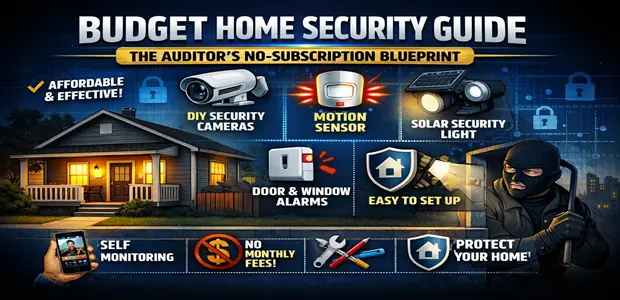
After managing corporate risk development, physical asset protection, and infrastructure auditing for more than 15 years, I have tracked exactly how capital leaks out of a household budget. The most common financial mistake in the home security sector is consumers locking themselves into high monthly commitments with massive legacy conglomerates.
You are essentially experiencing a severe capital leakage every single month just for a basic software ping.
As of 2026, the technological landscape has fundamentally shifted. Thanks to the massive deployment of on-device artificial intelligence (edge-AI) and high-density local storage layers (local microSD), it is entirely possible to build a professional-grade security network without paying a single monthly subscription fee.
Thinking like a true financial auditor requires setting aside the marketing illusions pushed by alarm companies. Your goal is to assemble hardware that protects your property layer by layer while keeping your operational expenditures (OpEx) firmly at zero. This guide is a rational, metric-driven defense plan designed to armor your living space against cyber and physical threats while fiercely protecting your budget.
Join the DEALSisHERE Insider Network — Stop letting legacy subscription systems erode your liquid capital; secure technical workflow audits, structural smart home guides, and real-time strategic pricing alerts direct to your inbox.
Quick Recommendations
If you need to deploy your budget immediately, here are the audited hardware recommendations to secure your perimeter without ongoing fees:
Top Visual Deterrent: The Tapo C120 2K Smart Camera provides the highest accuracy in edge-AI parsing and local storage capacity without any cloud paywalls.
Best Budget Scaling: The Wyze Cam v4 offers the most aggressive unit-cost compression, allowing you to deploy multiple lenses around your property for under $35 each.
Strongest Access Control: The SimpliSafe DIY Base Kit establishes an incredibly reliable, contract-free localized siren and window contact network.
The 3-Tier Defensive Architecture: A Procedural Setup
To eliminate security vulnerabilities without over-allocating capital on unnecessary hardware redundancy, your DIY physical system configuration must deploy across a strict linear hierarchy.
Converting a chaotic list of gadgets into a structured, architectural defense matrix requires establishing specific security zones.
Tier 1: Perimeter Detection (Enforce Outward Visual & Motion Deterrence)
You must deploy high-fidelity, weather-resistant smart cameras at your primary exterior vantage boundaries, such as driveways and back gardens.
Prioritize modules that utilize onboard AI chips. These edge-processors immediately distinguish between human pathing, vehicle vectors, and environmental noise like animals or wind. Doing this locally means you do not rely on slow, subscription-based cloud server filtering.
Tier 2: Entry Point Hardening (Deploy Mechanical and Electronic Access Blocks)
The next step is securing your physical entry seals. Upgrade standard mechanical deadbolts to encrypted, keyless smart locks that register individual access tokens.
Supplement these locks with localized wireless contact sensors on all window frames and external doors. This ensures that any structural seal breach is logged instantly on your local base station, triggering an immediate localized response.
Tier 3: Core Isolation (Establish Interior Verification Loops)
Finally, position compact, privacy-focused optical modules strictly in high-traffic interior transit corridors.
Set automated scheduling boundaries that completely isolate the internal sensor array while the property is legally occupied. Utilizing physical mechanical lens shutters or automated smart plug power cut-offs guarantees absolute data privacy for you and your family.
The Sourcing Ledger: Top-Rated Budget Assets Audited
In corporate expenditure audits, we select hardware infrastructure based on asset longevity, lack of mandatory monthly fees, and data processing fidelity. Focus your capital allocation strictly on these top-tier budget Amazon components.
Comparison Matrix
Before diving into the specifics, use this institutional comparison matrix to map out the exact utility of each hardware asset.
| Product | Best For | Key Strength | Potential Drawback | Verdict |
| Tapo C120 2K Camera | No-Subscription Telemetry | Free on-device AI sound and motion parsing. | Requires a constant wired power connection. | The ultimate zero-fee perimeter lens. |
| Wyze Cam v4 | Micro-Budget Scaling | Unmatched unit-cost compression for multi-camera setups. | UI pushes cloud subscription up-sells frequently. | Best value for covering massive blind spots. |
| SimpliSafe DIY Kit | Base Station Defense | Seamless self-monitoring loops and modular expansion. | Cellular backup is restricted to the paid tier. | Top tier contract-free base foundation. |
| Ring Alarm 5-Piece | Alexa Ecosystems | Intuitive dashboard and built-in Z-Wave mesh extension. | Deep historical camera integration requires a fee. | Highly reliable smart-grid perimeter alarm. |
| myQ Smart Keypad | Garage Access Control | Rolling encrypted handshakes block radio grabbing. | Wi-Fi signal must be very strong at the driveway. | Mandatory to seal legacy garage vulnerabilities. |
Individual Product Reviews
📹 Category A: No-Subscription Visual Telemetry & Cameras
1. Tapo C120 2K Smart Indoor/Outdoor Camera
Overview: The Tapo C120 represents a premier budget infrastructure asset. It is a highly adaptable, weather-sealed optical node capturing sharp 2K resolution while utilizing a dual-system Starlight night sensor.
Pros: Integrates advanced on-device AI sound recognition (detecting glass breaking or crying infants), features local microSD slots supporting up to 512GB, and operates completely free of recurring subscription models.
Cons: Because it offers high-bitrate continuous recording, it lacks an internal battery and requires a constant physical USB power line to operate.
Best For: Homeowners who refuse to pay monthly cloud storage fees but demand premium, highly accurate human detection alerts.
Why We Recommend It: It completely starves the corporate cloud model. By processing all motion algorithms locally on the silicon chip, it delivers instant notifications without holding your data hostage behind a paywall.
2. Wyze Cam v4 Extended-Range Module
Overview: The newest iteration of the Wyze cube architecture, upgrading to a 2.5K high-definition sensor, enhanced wide dynamic range (WDR), and an integrated motion-activated spotlight.
Pros: Exceptional unit-cost compression. It features rapid local motion tagging, highly specific localized activity zone mapping, and robust IP65 weatherization protocols for under $35.
Cons: Loading localized microSD card video timelines remotely via cellular data can sometimes feel laggy depending on your home upload speeds.
Best For: Budget-conscious property managers who need to deploy half a dozen cameras to seal every possible structural blind spot.
Why We Recommend It: The return on capital is unmatched. For the price of one premium legacy camera, you can secure four Wyze v4 modules and completely blanket your property in HD vision.
🔐 Category B: Base Stations & Perimeter Contact Sensors
3. SimpliSafe DIY Wireless Hardware Foundation Kit
Overview: A highly adaptable, contract-free home security system operating on a proprietary wireless band. The base kit includes the central hub, a wireless entry keypad, and localized entry point sensors.
Pros: Modular, contract-free base configurations that operate seamlessly via self-monitoring loops. It can be easily expanded à la carte with adhesive entry points and localized panic arrays over time.
Cons: While local sirens and alerts are completely free, remote push notifications to your smartphone are restricted unless you utilize their self-monitoring application tier.
Best For: Renters and independent homeowners seeking a standalone, mechanical noise deterrent that operates outside of traditional police dispatch channels.
Why We Recommend It: The physical hardware is incredibly durable and cleanly designed. You own the equipment outright, allowing you to scale your perimeter defense step-by-step as your budget allows.
4. Ring Alarm 5-Piece Starter Kit (2nd Gen)
Overview: A comprehensive Z-Wave-based security mesh system that establishes a highly secure local radio frequency network for your door and window contacts.
Pros: Deeply integrated into the Alexa smart home processing loop. It features an intuitive control panel dashboard, high-decibel internal sirens, and a built-in Wi-Fi range extension mesh.
Cons: While the basic alarm functionality is free, automating professional police dispatch and tying in historical camera footage requires their Protect Pro subscription.
Best For: Users who already have an established Amazon Alexa smart home ecosystem and want their alarm to trigger automated interior lighting routines.
Why We Recommend It: The underlying Z-Wave mesh architecture is highly resilient to standard radio interference, making it vastly more secure than cheap, generic Wi-Fi contact sensors.
🚪 Category C: Access Control & Smart Entry Points
5. myQ Smart Garage Video Keypad & Doorbell Kit
Overview: A weatherized exterior keypad mounted directly to the garage bay frame. It merges a traditional PIN code entry system with a wide-angle 1080p surveillance lens.
Pros: Eliminates the classic security vulnerability of legacy garage door radio frequencies by applying rolling encrypted network handshakes and real-time lens logging of every visitor.
Cons: It relies entirely on a Wi-Fi connection, meaning your home router must be strong enough to push a signal through the dense exterior walls of your garage.
Best For: Properties where the garage houses high-value assets, vehicles, or physical business inventory.
Why We Recommend It: Standard garage remotes are easily cloned by modern thieves. This device applies military-grade rolling encryption to seal the largest physical access point of your home.
The Value Verification Matrix
In corporate infrastructure management, no device is integrated without passing strict operational guidelines. You must ruthlessly audit the technical specifications of any potential hardware.
Cross-examine your budget security choices against this framework before heading to checkout.
| Technical Check Vector | Toxic Asset Architecture (Abort Checkout) | High-ROI Sustainable Asset (Execute Checkout) |
| Data Storage Rules | Encrypts and locks historical video recordings exclusively behind a mandatory monthly cloud subscription wall. | Features native microSD local storage arrays or local hub drive compatibility (No-Fee local loop). |
| Power Headroom | Requires continuous, un-shielded custom battery swaps every 30 days, creating operational downtime. | Powered via continuous hardwired micro-lines, power-over-ethernet (PoE), or integrated solar panels. |
| Ecosystem Synergy | Operates on a closed, un-patchable legacy standard that cannot interface with broader home automation. | Fully compatible with modern open smart home protocols (Matter, Thread, standard API call patterns). |
The Auditor’s Operational Directive
Watch out for the hidden software trap. A security camera that only costs $30 upfront but forces you into a $5 monthly cloud storage subscription to view recordings will actually drain $150 of liquid capital over a 2-year timeline.
Always compute the Total Cost of Ownership (TCO) before executing a procurement decision. Do not let a low initial price tag blind you to the recurring operational expenditure.
Buying Guide: Executing a Zero-Subscription Setup
To ensure you deploy your capital efficiently, you must understand the underlying mechanics of modern security infrastructure. Follow these principles to maximize your ROI.
Important Features to Prioritize
When evaluating hardware, prioritize on-device edge AI. Cameras that process motion locally on their own internal silicon chip are faster and more private than cameras that send footage to the cloud for analysis.
Secondly, demand local storage continuity. Look for devices that support at least 256GB of microSD storage or offer integration with a Network Attached Storage (NAS) drive. This ensures you control your own historical footage completely free of charge.
Common Mistakes Buyers Make
The most critical error is ignoring bandwidth architecture. Deploying six wireless 2K cameras onto a standard, ISP-provided budget router will instantly crash your local network. High-fidelity optical streams require substantial Wi-Fi overhead.
If you plan to scale past four cameras, you must either upgrade to a dedicated Wi-Fi 6 mesh network or run hardwired Power-over-Ethernet (PoE) cables to handle the massive data load without bottlenecking your home internet.
Budget Considerations
Do not spend your entire budget on premium camera lenses while neglecting physical entry points. A $200 4K camera is useless if a thief simply walks through an unlocked, un-monitored back door.
Allocate your capital proportionally. Spend 40% of your budget on Tier 1 visual deterrents (Tapo/Wyze), 40% on Tier 2 physical contact sensors (SimpliSafe/Ring), and reserve 20% for structural upgrades like heavy-duty strike plates and deadbolts.
Long-Term Value
The longevity of a smart security asset is dictated by its software ecosystem. Devices built on open protocols (like Matter or Z-Wave) will retain their utility for a decade because they can interface with any future smart hub you purchase. Closed-ecosystem devices become expensive paperweights the moment the parent company decides to shut down their specific app servers.
15-Year “Pro” Strategy: “The Self-Hosted Security Hedge”
In my 15 years of auditing digital system architectures and calculating risk boundaries, I have consistently discovered that the most resilient systems are those that retain absolute control over their data stack.
Relying on commercial security servers means your home’s entry log files and optical feeds are subject to third-party outages, data breaches, and corporate price inflation. True self-reliance means pairing your budget Amazon hardware with local data backups.
By choosing cameras like the Tapo C120 or Wyze systems that support high-capacity local microSD storage or network attached storage (NAS) routing, you build an unbreakable information loop.
You completely starve the traditional corporate monitoring firms of their subscription revenue, eliminate security data leak vectors, and ensure your system continues to record and protect your assets even if the public internet grid drops completely.
Real-Time Verified Strategic Sourcing Nodes
To completely bypass unverified aggregator marketing networks and cross-reference your perimeter defense checklists with live, authenticated checkout promo codes, hook directly into our audited sourcing nodes.
Do not rely on expired public voucher forums; use these secure corporate conduits to optimize your transaction pricing.
📦 Amazon Daily Promo Codes Node
Cross-reference your physical property security checklist with active merchant promotional codes and verified real-time price drops within Amazon’s secure infrastructure.
👉 Get Active Amazon Promo Codes & Coupons – Verified Today
🇨🇳 AliExpress Strategic Sourcing Hub
Bypass domestic retail markup pipelines by sourcing auxiliary window contact sensors, Z-Wave relays, and smart entry tags directly from factory-direct origin layers.
👉 Get Active AliExpress Promo Codes & Coupons – Verified Today
Own the Audience: Insider Network
🚀 High-Velocity Capital Preservation & Sourcing Alerts
Stop allowing legacy corporate subscription models to exploit your physical safety anxieties, inject hidden fees, and bleed away your investment velocity. Take absolute command of your residential perimeter.
📩 Subscribe to our Newsletter — The definitive strategic procurement and asset engineering guide for high-growth digital professionals. Secure technical workflow audits, structural smart home guides, and real-time strategic pricing alerts direct to your inbox.
👉 Join the DEALSisHERE Insider Network Today
Frequently Asked Questions
1. If I use local microSD cards instead of cloud storage, what happens if a thief steals the physical camera?
The bottom line is that you must place your local storage nodes out of physical reach, or utilize redundant local data pipelines. While a thief could physically rip down an outdoor camera, high-quality units like the Tapo C120 instantly push real-time rich snapshot notifications to your smartphone the millisecond motion is detected. To achieve absolute security without ongoing fees, configure your cameras to stream footage directly to a hidden Network Attached Storage (NAS) drive inside your home.
2. Can a budget DIY security alarm system provide adequate defense compared to a hardwired legacy brand?
Yes. Modern wireless security protocols like Z-Wave and custom RF lines operate on frequency-hopping technology that resists standard consumer-level radio jamming. While enterprise commercial banks require complex hardwired arrays, a properly deployed 3-tier DIY system provides a highly secure, reliable deterrent that matches the physical protection metrics of old-school alarm companies at a fraction of the cost.
3. Does on-device edge AI perform as fast as cloud-based AI parsing?
Edge AI is significantly faster than cloud processing. A standard cloud-reliant camera must capture motion, upload the video file over your internet connection to a distant server farm, wait for the server to process the pixels, and then push an alert back down to your phone. An edge-AI chip processes the visual metrics locally on the physical silicon inside the camera chassis, triggering an alert almost instantaneously.
4. How many hours of continuous 2K footage can fit onto a 512GB local microSD card?
When recording continuously at a sharp 2K resolution profile, a high-density 512GB microSD card will comfortably store roughly 24 to 30 days of unbroken video files. Once the storage card hits its maximum physical capacity limit, the camera’s internal firmware ledger automatically executes a continuous loop, overwriting the oldest historical data files first to ensure you never experience recording gaps.
5. Do solar-powered outdoor security cameras function reliably during the winter months?
Yes, provided you size your power headroom correctly. Modern smart home solar panels only require a few hours of indirect ambient UV exposure daily to sustain a high-capacity lithium-polymer camera battery. To guarantee zero operational downtime during dark winter blocks, you must configure your outdoor cameras to record strictly via motion-event triggers rather than continuous streaming to minimize power drain.
Final Verdict
The audited financial data is undeniable. Constructing a professional-grade, no-subscription home security network is a highly attainable, margin-protective goal.
You absolutely do not need to subject your personal balance sheet to ongoing corporate contract taxes to shield your property. By implementing a strict 3-tier defensive layout, deploying edge-AI hardware nodes like Tapo and Wyze, and relying on localized storage arrays, you successfully insulate your physical assets.
Take control of your hardware. Execute your perimeter defense strategy today, and keep your capital compounding securely inside your own portfolio where it belongs.
Affiliate Disclaimer: We may earn a commission if you make a purchase through our links, at no extra cost to you. Hardware processing metrics, firmware specifications, platform subscription rules, and active merchant pricing tiers remain subject to rapid real-time volatility across global e-commerce servers as of June 27, 2026. Always execute a final price-history tracking check before authorizing any physical infrastructure transaction.
Advertisement
Advertisement