
Introduction
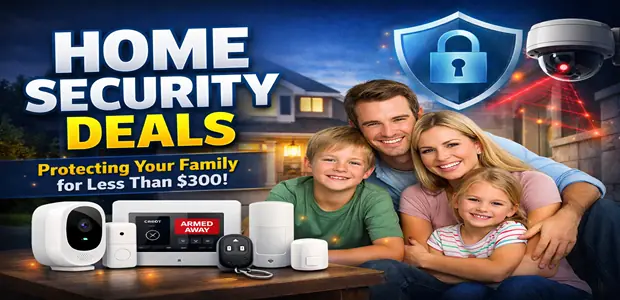
Most home security companies want you locked into a monthly contract before you’ve even tested the hardware. But a genuinely effective home security setup — cameras, door sensors, and an alarm — can be built as a one-time purchase for under $300, with no recurring subscription required if you choose the right equipment.
This guide focuses on DIY, self-monitored hardware rather than professionally monitored contracts. That trade-off means you handle your own alerts instead of a call center handling them for you — which is the right choice for most homeowners, but not everyone’s preference.
Every product below is chosen for functioning well without a mandatory subscription, and we’re upfront about where a subscription-free setup has real limitations compared to a monitored service.
Quick Recommendations
If you’re short on time, here’s the shortlist:
- Best outdoor camera: Wire-free camera with local MicroSD storage (Wyze/Eufy-style)
- Best entry-point coverage: Zigbee or Wi-Fi magnetic door/window sensors
- Best video doorbell: Local-storage-compatible video doorbell
- Best central alarm: Smart hub with a built-in high-decibel siren
- Best secondary alert system: Smart speaker with glass-break/smoke detection
- Best psychological deterrent: Decoy camera with warning signage
- Best physical upgrade: Reinforced deadbolt lock
We’ll cover each of these in detail below, including where a subscription-based system might actually serve you better.
Comparison Matrix
| Product | Best For | Key Strength | Potential Drawback | Verdict |
|---|---|---|---|---|
| Wire-free outdoor camera | Perimeter monitoring | Local storage avoids monthly cloud fees | Battery models need periodic recharging | Core purchase, start here |
| Video doorbell | Front-door visibility | Sees package deliveries and visitors in real time | Many popular models require a subscription for recorded clips | Choose carefully by storage type |
| Door/window sensors | Entry-point detection | Instant alert the moment a seal breaks | Battery-powered, needs periodic replacement | High-value, low-cost |
| Smart hub with siren | Centralizing alerts | Physical, audible deterrent on breach | Only as good as the sensors feeding it | Ties the system together |
| Smart speaker (glass-break detection) | Secondary monitoring | Doubles as a listening device for breaking glass | Requires “Away” mode to be manually activated | Nice-to-have, not essential |
| Decoy camera | Psychological deterrence | Extremely cheap visible deterrent | Provides zero actual footage or protection | Useful only alongside real cameras |
| Reinforced deadbolt | Physical entry resistance | Stronger than most smart locks, no hacking risk | No remote access or smart features | Underrated, high ROI |
Individual Product Reviews
1. Wire-Free Outdoor Security Camera (Local Storage)
Overview: A weather-sealed outdoor camera is the anchor of a subscription-free system. Look specifically for models that write footage directly to a local MicroSD card rather than requiring a cloud plan just to view what you recorded.
Pros:
- No mandatory monthly fee to access your own footage
- Visible placement acts as a deterrent on its own
- Wire-free, battery-powered models are simple to install without an electrician
Cons:
- Local storage means footage is lost if the camera itself is stolen or damaged
- Battery models require recharging every few weeks depending on activity
- Night vision and motion detection quality vary significantly between budget and mid-tier models
Best For: Homeowners who want reliable outdoor monitoring without ongoing subscription costs.
Why We Recommend It: This is the highest-priority purchase in the whole setup — a visible, functioning camera deters far more incidents than it ever needs to record.
2. Video Doorbell Camera
Overview: A doorbell camera adds real-time visibility at your main entry point, showing who’s approaching before they knock. The key decision here is storage: some popular brands lock recorded clips behind a subscription, while others offer local or free cloud options.
Pros:
- Real-time video and two-way audio for package deliveries and visitors
- Motion alerts sent directly to your phone
- Acts as a visible deterrent at the most commonly targeted entry point
Cons:
- Many mainstream brands require a paid plan to view recorded (not just live) footage
- Wi-Fi dead zones near the front door can cause missed alerts
- Battery-powered models need periodic recharging, often at an inconvenient time
Best For: Households that want visibility on deliveries and visitors, not just intrusion detection.
Why We Recommend It: It’s genuinely useful, but only if you check the storage and subscription terms before buying — this is the single easiest way to accidentally end up back in a monthly contract.
3. Zigbee or Wi-Fi Magnetic Door/Window Sensors
Overview: These small, battery-powered sensors detect the moment a magnetic seal is broken — meaning a door or window has been opened — and push an instant alert to your phone through your existing home network.
Pros:
- Detects the actual breach, not just movement near it
- Very low cost per sensor, making whole-home coverage affordable
- No subscription required for local alerts on most models
Cons:
- Battery-powered, requiring periodic battery swaps
- Adhesive mounting can weaken over time in humid or hot climates
- Zigbee models require a compatible hub, adding a small extra cost if you don’t already have one
Best For: Covering ground-floor doors and easily accessible windows — the most common points of entry.
Why We Recommend It: Per dollar spent, entry sensors are arguably the best value in this entire guide — cheap, reliable, and directly tied to the moment of breach rather than general movement.
👉 Execute Procurement: Secure Amazon Security Camera Deals — compare local-storage outdoor cameras and video doorbells from top-rated sellers.
4. Smart Home Hub with Built-In Siren
Overview: A central hub ties your cameras and sensors together and, critically, gives you a loud, physical siren that triggers the moment a sensor is breached — the difference between a silent phone notification and an actual audible deterrent.
Pros:
- Provides an immediate, on-site acoustic deterrent, not just a phone alert
- Centralizes multiple sensor types into one system
- Many hubs support open protocols (Matter, Zigbee) for broader device compatibility
Cons:
- Only as effective as the sensors and cameras connected to it
- Some hubs are tied to a specific ecosystem, limiting future device choices
- A power outage or Wi-Fi drop can disable the hub unless it has battery backup
Best For: Anyone assembling more than two or three individual sensors who wants them working as one coordinated system.
Why We Recommend It: Sensors without a loud, local alarm are easy for an intruder to ignore. The siren is what actually turns detection into deterrence in the critical first seconds.
👉 Execute Procurement: Secure Amazon Smart Hub Deals — browse hubs with built-in sirens and broad device compatibility.
5. Smart Speaker with Glass-Break/Smoke Detection
Overview: Many smart speakers include a listening mode — often called “Guard” or similar — that activates when you leave home and listens specifically for the acoustic signature of breaking glass or a smoke alarm, pushing an alert to your phone.
Pros:
- Adds a secondary layer of detection beyond door/window sensors
- Already-owned smart speakers can serve this function at no extra hardware cost
- Useful for detecting incidents sensors might miss, like a broken window mid-room
Cons:
- Requires manually switching to “Away” mode, which is easy to forget
- False positives can occur from unrelated loud noises
- Not a replacement for actual entry sensors — it’s a supplement
Best For: Households that already own a compatible smart speaker and want extra coverage at no added cost.
Why We Recommend It: If you already have the hardware, enabling this feature is essentially free extra protection. It’s not worth buying a speaker solely for this purpose, though.
6. Decoy Camera with Warning Signage
Overview: A visible dummy camera, often paired with a fake security company sticker, exploits the same psychological deterrence as a real camera at a fraction of the cost — useful as a supplement to, not a replacement for, real hardware.
Pros:
- Extremely inexpensive, often under $15 for a multi-pack
- Adds visible deterrence to secondary areas your real budget doesn’t cover
- No maintenance, batteries, or app required
Cons:
- Provides zero actual footage or protection if tested
- Experienced intruders can sometimes distinguish decoys from real hardware
- Should never be your only camera at a primary entry point
Best For: Covering secondary sightlines (side yards, sheds) once your real cameras are placed at primary entrances.
Why We Recommend It: As a supplement to real optical coverage — not a substitute for it — decoys stretch a limited budget’s deterrent effect further than the hardware cost alone would suggest.
👉 Execute Procurement: Secure Amazon Smart Sensor Deals — find door/window sensors, decoy cameras, and glass-break-compatible smart speakers.
7. Reinforced Deadbolt Lock
Overview: Retailers frequently push smart locks during security sales, but unless you have a specific need for remote unlocking, a solid, standard deadbolt is a stronger and simpler physical barrier — and it can’t be hacked remotely.
Pros:
- Purely mechanical, with no battery, Wi-Fi, or hacking risk
- Generally more physically resistant to forced entry than smart lock equivalents
- Low cost relative to its impact on actual break-in resistance
Cons:
- No remote locking/unlocking or guest access codes
- No activity log of who entered and when
- Requires basic tools or a locksmith for proper installation
Best For: Homeowners without a specific need for remote access who want to prioritize physical security over convenience features.
Why We Recommend It: It’s the least exciting item on this list and consistently one of the most overlooked — reinforcing your actual locks matters more than most of the smart features retailers upsell during a security purchase.
Buying Guide
Important Features to Look For
- Local storage compatibility: Prioritize cameras and doorbells that write to a MicroSD card or support a local hub, so you’re never forced into a subscription just to view your own footage.
- Open protocol support: Devices using Matter, Zigbee, or standard Wi-Fi tend to integrate more easily with Apple HomeKit, Google Home, or Amazon Alexa than closed, single-app ecosystems.
- Battery life and replacement cost: Battery-powered sensors and cameras are easier to install but require ongoing maintenance — factor replacement batteries into your long-term cost.
- A physical, audible siren: A notification on your phone doesn’t scare off an intruder in the moment. A hub with a built-in siren does.
Common Mistakes Buyers Make
- Buying cameras that lock your own footage behind a paywall. Read the fine print — “free live view” is not the same as free access to recorded clips.
- Overspending on a smart lock you don’t need. Unless remote access solves a real problem for your household, a standard reinforced deadbolt is stronger and simpler.
- Sourcing closed-ecosystem sensors that only work with one proprietary app. This limits your ability to expand or switch brands later without replacing everything.
- Paying for professional installation on wire-free hardware. Most modern battery-powered cameras and sensors are designed for DIY mounting with adhesive strips or basic screws — a paid installation is rarely necessary.
Budget Considerations
A reasonable allocation within a $300 budget looks roughly like: the largest share toward one or two outdoor cameras, a smaller portion toward door/window sensors across your most vulnerable entry points, and the remainder toward a hub with a siren to tie it together. Decoy cameras and a reinforced deadbolt are inexpensive additions that stretch the budget further without competing for the core allocation.
If your budget is tighter than $300, prioritize entry-point sensors and one visible camera first — deterrence and breach detection matter more early on than full coverage.
Long-Term Value
Because this setup avoids a mandatory subscription, the ongoing cost is limited to occasional battery replacements and, eventually, hardware refreshes — a meaningfully lower long-term cost than a $50–$60/month monitored contract. The trade-off is that you are your own monitoring service: alerts go to your phone, not a call center, which suits most households but isn’t a fit for anyone who specifically wants professional monitoring or emergency dispatch built in.
Frequently Asked Questions
Is a DIY security system as effective as a professionally monitored one? It depends on what you value. A DIY system is very effective at detection and deterrence, but professional monitoring adds automatic emergency dispatch, which a self-monitored system does not include — you’re responsible for responding to your own alerts.
Do I need a subscription for any of these products? Not necessarily. Cameras and doorbells with local MicroSD storage, and sensors that connect through your existing Wi-Fi or a one-time-purchase hub, typically don’t require ongoing fees. Always confirm this before buying, since it varies by brand and even by specific model.
Are smart locks worth adding to this setup? Only if remote access or guest codes solve a specific problem for you. For pure break-in resistance, a quality standard deadbolt is generally stronger and has no hacking risk.
How many door/window sensors do I actually need? At minimum, cover all ground-floor doors and easily accessible windows — these are the most common entry points. Upper-floor or difficult-to-reach windows are lower priority if your budget is limited.
Will a decoy camera actually stop a break-in? It can add deterrence, particularly for opportunistic intruders scanning for an easy target, but it should never be your only camera at a primary entrance. Treat it as a supplement, not a substitute, for real coverage.
What happens if my Wi-Fi goes down — does the whole system stop working? Most hubs will lose remote alert capability without internet, though local sirens on some models can still trigger from a sensor breach. If reliability during outages matters to you, look specifically for a hub with battery backup and check its offline behavior before buying.
Final Verdict
A genuinely effective home security setup doesn’t require a monthly contract — it requires spending your budget on the right categories in the right order: visible optical deterrence first, entry-point sensors second, and a centralized, audible alarm third. Everything else — decoy cameras, a reinforced deadbolt, glass-break detection through an existing smart speaker — stretches that core budget further.
Skip the smart lock unless you have a specific need for it, read the fine print on subscription requirements before buying any camera, and prioritize a physical siren over relying on phone notifications alone. Done this way, under $300 in one-time hardware genuinely can replace a multi-year monitored contract for most households.
📩 Subscribe to our email newsletter for verified security hardware deals, price-drop alerts, and new DIY buying guides sent straight to your inbox.
Affiliate Disclaimer
We may earn a commission if you make a purchase through our links, at no extra cost to you.
Advertisement
Advertisement